Grep in Color
published 2007-09-02 · tags: cli, grep, linux
If you would like to make it easier to visually spot what you are looking for when using “grep”, try out the “–color” flag. This option highlights any matches in the output of your search, giving you an upper hand when trying to visually scan through complicated or cumbersome sequences.
For example, if you were looking for any IP address in your /etc/hosts.deny file that has the number “209” in it, issue the following command:
grep --color 209 /etc/hosts.deny
Here is the comparison of the same output, with and without the color option.
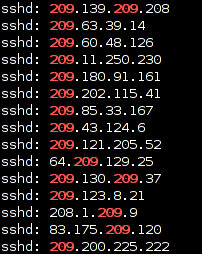
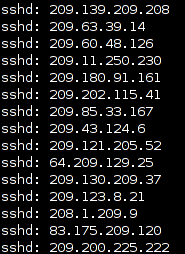
As you can see, one might find it very easy to miss the fact that there are some IP addresses that have multiple octets with the value of 209. The color flag really comes in handy.
UPDATE (12/13/2009): In the most recent versions of Ubuntu, a local alias has been defined in the default .bashrc for each user. This alias gives turns on color highlighting with the following line.
alias grep='grep --color=auto'